Designating Your Transfer Contact
Your Transfer Contact is the one person who receives access to your Trust Blocks account when you pass away. It might be your spouse, an adult child, a sibling, or a trusted friend — someone you trust to handle your digital life on behalf of the people who matter to you. You designate one Transfer Contact, and you can change them at any time.
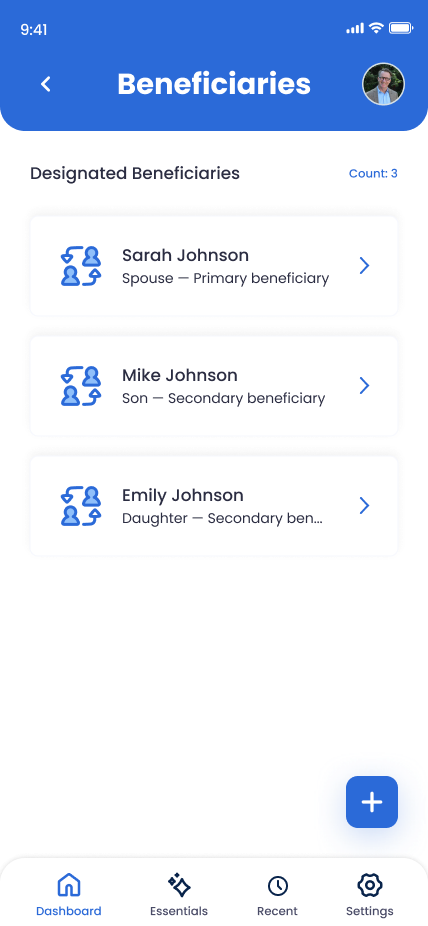
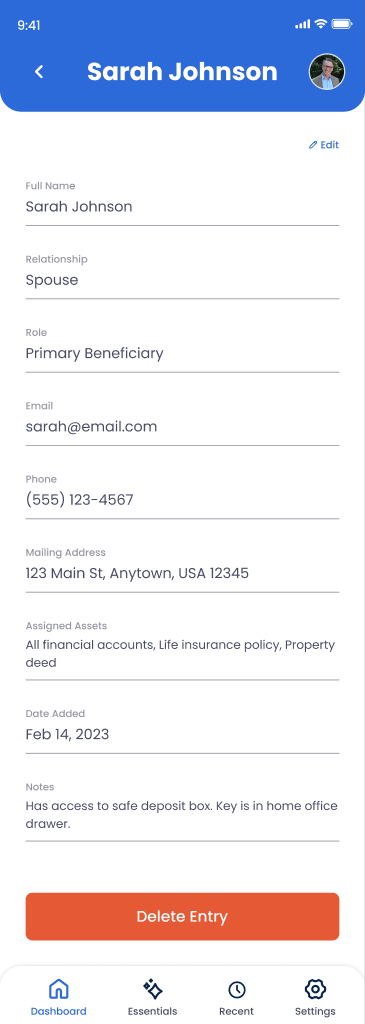
What You Can Document
Transfer Contact Identity
Full name, relationship (spouse, child, friend, advisor), and primary role in your digital legacy plan.
Contact Information
Email address, phone number, and backup contact methods so they can be reached when needed.
Special Instructions
Notes on how to contact them, timing for disclosure, or special handling for sensitive information.
Context & Reasoning
Your notes on why you chose this person for this role and what matters to you about their involvement.
How to Add a Transfer Contact
Go to Digital Legacy > Transfer Contact
From your Trust Blocks dashboard, navigate to the Digital Legacy section and select Transfer Contact. You'll see your current Transfer Contact if one is set, or a button to add one.
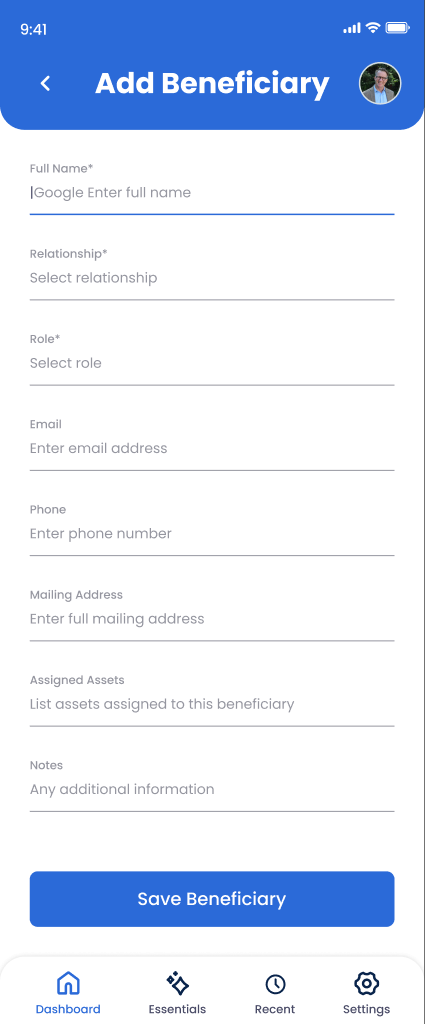
Click "Add Transfer Contact"
Tap the add button to open the Transfer Contact creation form. This opens a guided flow to collect all the essential information about your chosen Transfer Contact.
Enter Their Basic Information
Fill in their full name, your relationship to them, their email, and phone number. This is how the app identifies them and can contact them when needed.
Add Special Instructions (Optional)
Write any context they should know. For example: "Contact my accountant first before accessing financial accounts" or "My eldest daughter should be contacted before any decisions about my social media accounts."
Review & Save
Review all information one final time, then save. Your Transfer Contact is now registered in your digital legacy plan. Trust Blocks stores this information with strong encryption, and you decide who gets access.
Managing Your Transfer Contact
Why This Matters
Without a clear plan, your family faces chaos when something happens to you. They don't know your passwords. They can't access your financial accounts. They struggle to find your important documents. Worse, they might accidentally expose sensitive information trying to manage your digital life without guidance.
By designating Transfer Contact in Trust Blocks, you're doing something profound: you're giving your loved ones clarity, access, and protection. You're saying, "I trust you with this." It removes guesswork and prevents conflict over who should handle what.
More importantly, you're protecting your privacy. By being specific about who gets access to what, you ensure sensitive information stays within the right circle. Not every family member needs to see every account. Trust Blocks lets you be that intentional about it.
Tips for Successful Transfer Contact Planning
Choose People You've Actually Talked To
Don't just assume someone is willing to be a Transfer Contact. Have a conversation with them. Let them know you're making this plan and that they're important to it. This prevents awkwardness and ensures they're actually prepared for the responsibility.
Use Special Instructions Generously
Don't be vague. Be specific about timing, priorities, and sensitive handling. "Contact my therapist's office first" or "My archives folder is precious to me" gives your Transfer Contact real guidance, not just access.
Review Annually
Life changes. Relationships evolve. Some people become more trusted; others less so. Set a reminder to review your Transfer Contact yearly and update as needed. Trust Blocks makes this easy.