Active Subscriptions & Recurring Services
We all have them: Netflix, Spotify, cloud storage, gym memberships, software licenses, magazines. Some we use daily; some we forgot we even signed up for. Without a record, your trusted contacts can't cancel them—and your money keeps flowing out.
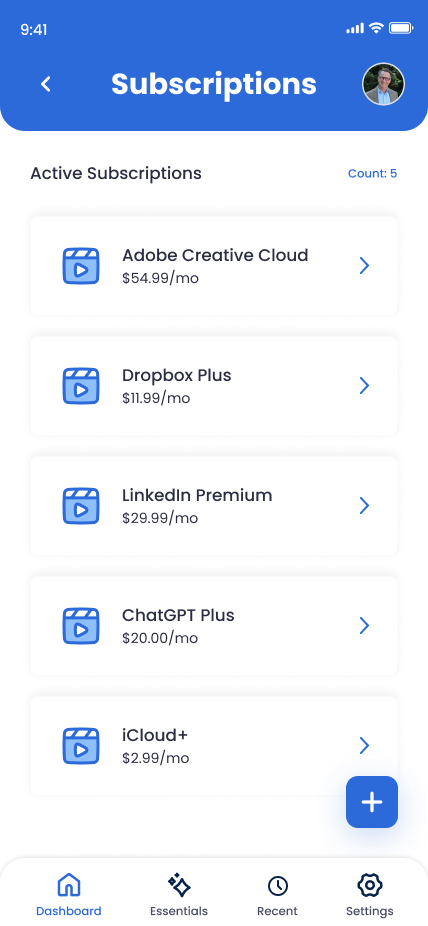
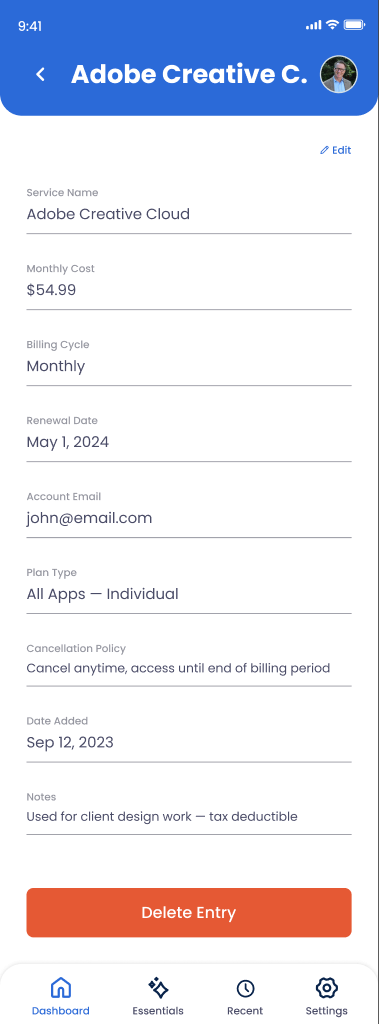
What You Can Store
Service Name & Cost
Netflix, Adobe Creative Cloud, Amazon Prime, Dropbox, Slack, etc.—and how much you're paying monthly or annually.
Billing Frequency & Renewal Date
Monthly, annual, or other? When does your subscription renew each billing cycle?
Payment Method
Which credit card, debit card, or PayPal account is this charged to?
Login Email & Account ID
Which email address is this account tied to? Is there a subscription ID or account number?
Cancellation Instructions
How to cancel: website link, customer service phone, or special process? Is there an early cancellation fee?
Priority & Notes
Is this essential (cloud backup) or discretionary (entertainment)? Any special notes about the account?
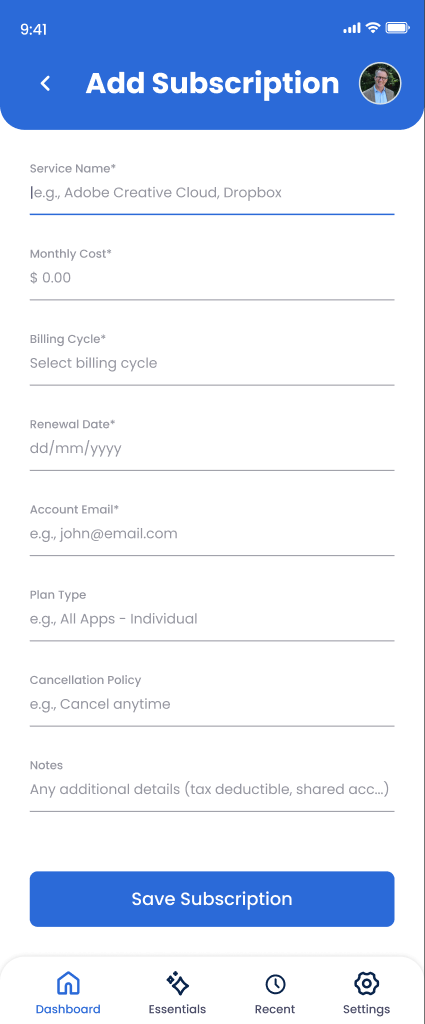
How to Add a Subscription Entry
Go to Online Accounts and tap "Add Account"
Navigate to Trust Blocks' Online Accounts section.
Select "Subscription" or the specific service
If your service (Netflix, Spotify, Adobe) is in the list, select it. Otherwise, choose "Custom" and label it clearly.
Enter the monthly or annual cost
Be clear: "$14.99/month" or "$199/year"? Note if there are multi-tier pricing options and which tier you're on.
Add the renewal/billing date
When does it bill? Every month on the 15th? Annually on your signup date? This helps your executor manage cash flow.
Record the login email and payment method
Which email is the account tied to? Which credit card or bank account gets charged?
Add cancellation instructions
Write down exactly how to cancel. Include the website URL, phone number, or any special process. Note if there are penalties for early cancellation.
Mark as "essential" or "discretionary" and save
Is this critical (cloud backup) or nice-to-have (streaming service)? Set permissions so your executor knows who should see it.
Managing Your Subscription Entries
Update prices and renewal dates
When a subscription price increases or you switch from monthly to annual (or vice versa), update the entry. Old information could confuse your executor.
Delete canceled subscriptions
When you cancel a subscription, delete the entry from Trust Blocks. This keeps your list clean and prevents your executor from trying to manage accounts that no longer exist.
Flag essential vs. discretionary
Use tags or notes to mark which subscriptions are critical for daily life (cloud backup, email) and which are optional (streaming, gaming). This helps your executor prioritize.
Why This Matters for Your Digital Legacy
The average person has 10+ active subscriptions. Some are essential (cloud storage, email), some are useful (security software), and some are forgotten relics (that gym membership you never use).
Here's what happens without documentation: Your executor doesn't know these subscriptions exist. They keep billing your account for months or years. Your estate hemorrhages money—$200 a year becomes $2,000 over a decade. By the time the subscriptions are discovered and canceled, thousands of dollars are gone.
By documenting every subscription here, you're giving your executor a clear action plan. They can immediately cancel the entertainment services and keep the critical ones. You're protecting your legacy from unnecessary waste and making it easy for your trusted contacts to wrap up your digital affairs.
Key Tips
Audit your subscriptions quarterly
Every three months, check your credit card and bank statements for recurring charges. You'll probably find something you forgot about. Add it here, or cancel it if you don't use it.
Cancel the ones you don't use
If you haven't logged in to a service in 6 months, cancel it. Don't leave your executor to deal with the cleanup.
Choose the right billing cycle
If you have a choice between monthly and annual, annual is usually cheaper. And fewer charges means less clutter for your executor to manage.
Document shared family accounts
If Netflix or Spotify is on a family plan with others, note that here. Your executor needs to know that canceling it affects multiple people.