SMS Messaging & Consent
Last updated: July 17, 2026
Trust Blocks is a digital estate-planning product operated by First-Rate Tech Corp. First-Rate Tech Corp. is a Wyoming corporation and the registered brand for this messaging campaign; “Trust Blocks” is the product name shown to end users at trustblocksapp.com. The two names refer to the same business.
What we send
Trust Blocks sends one-time, transactional text messages only — never marketing or promotional texts, and we never sell or share your mobile number. The three message types are:
Sign-in verification codes — a one-time code each time you sign in.
Helper invitations — a single text when a Trust Blocks subscriber invites you to help manage their account.
Account-security notifications — alerts about important activity on your account.
Opt-in method 1 — signing up
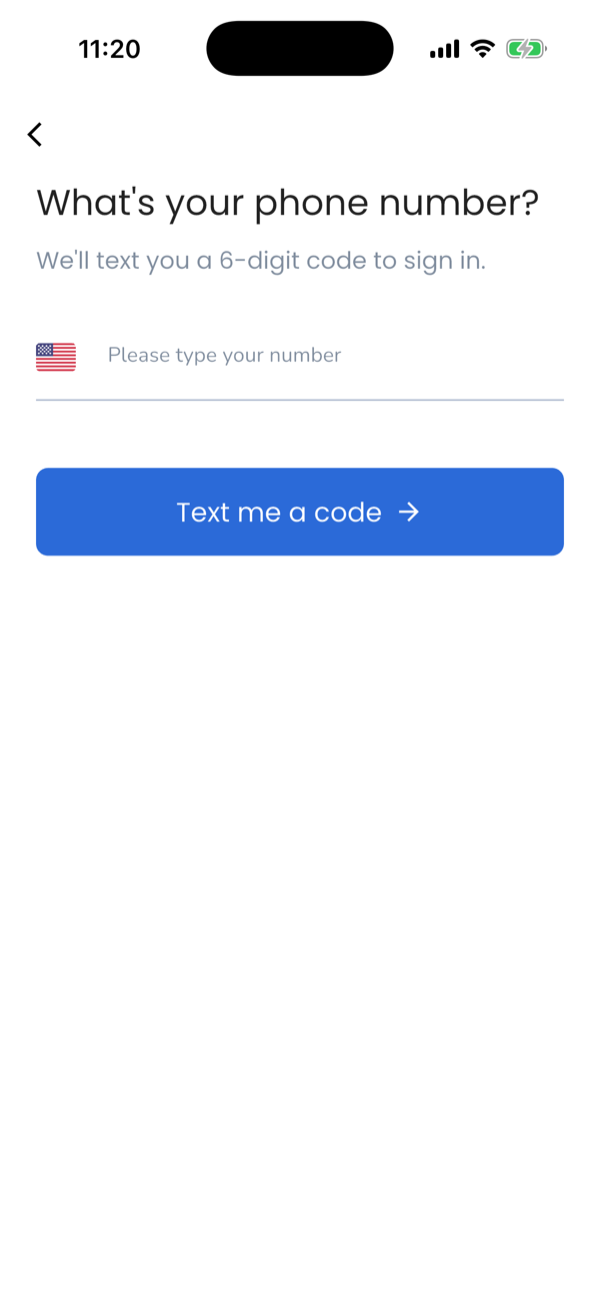
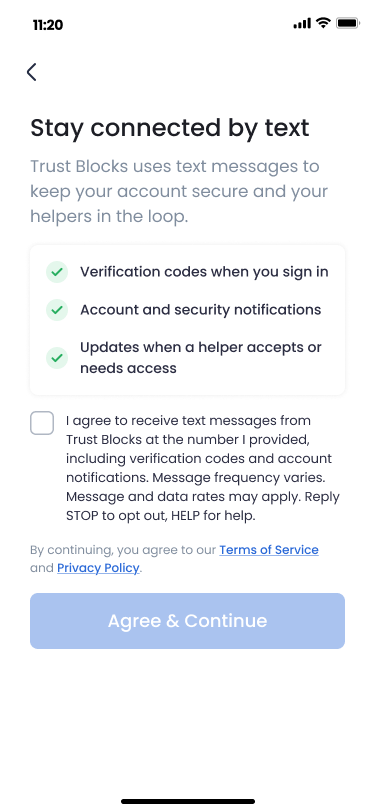
Consent is collected inside the Trust Blocks mobile app in three steps. Sign-up begins with a phone number collection field, and no text of any kind is sent until the user has given express consent:
Step 1 — the user enters their phone number. The first sign-up screen collects the user’s mobile number in a phone number field, and the user taps “Text me a code”.
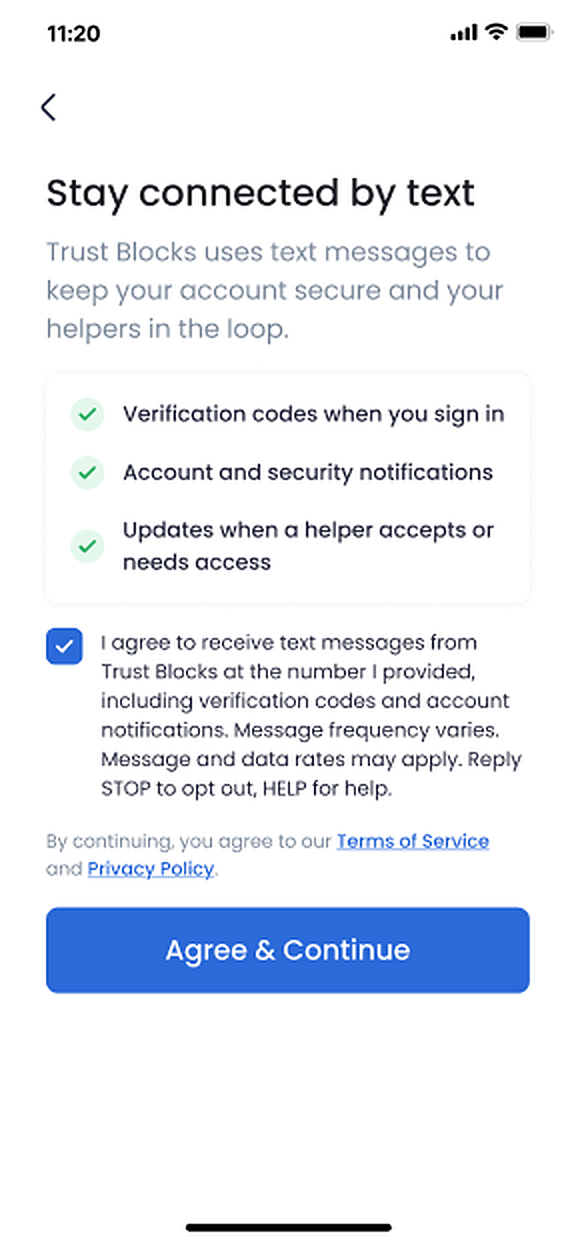
Step 2 — the user gives express consent. Before any message is sent, the consent screen appears. The checkbox is unchecked by default, and the continue button stays disabled until the user actively checks it.
Step 3 — only then is a text sent: a one-time verification code the user enters to confirm they own the number.
The consent checkbox reads, word for word:
Try the opt-in form yourself
The form below is a live, working replica of the opt-in — the same phone number field and the same consent checkbox. Agreeing to texts is optional: you can continue with just your number, and the SMS box is there only if you want to opt in. Nothing is pre-checked.
Stay connected by text
Trust Blocks uses text messages to keep your account secure and your helpers in the loop.
- Verification codes when you sign in
- Account and security notifications
- Updates when a helper accepts or needs access
Enter the number where you want your Trust Blocks verification codes and account texts sent.
By continuing, you also agree to our Terms of Service and Privacy Policy. (This is separate from the SMS consent above.)
Enter your mobile number to continue. The SMS consent box below is optional — you can continue without it.
The same flow inside the mobile app:
Opt-in method 2 — helper invitations
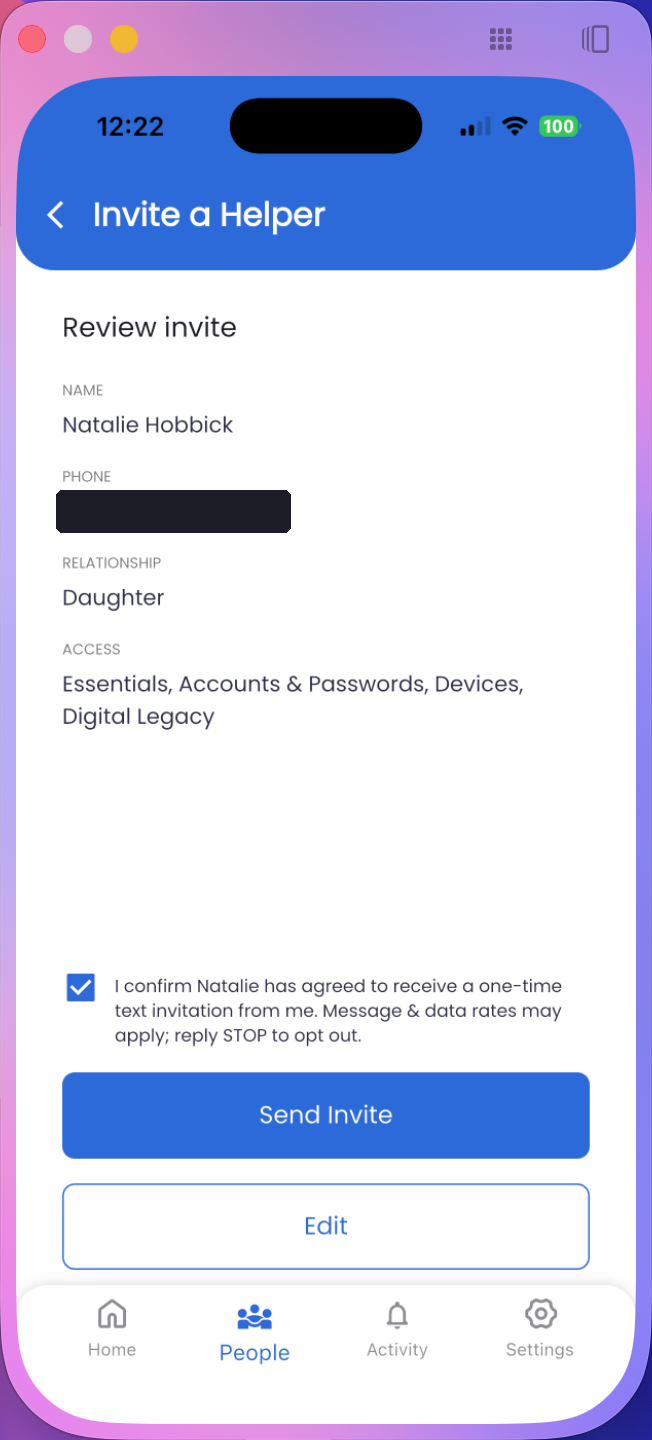
A Trust Blocks subscriber can invite a trusted family member to help manage their account. The invite form collects the invitee’s mobile number in a phone number field, and before any text is sent the subscriber must check a box confirming the invitee agreed to receive a one-time invitation; the Send Invite button stays disabled until it’s checked. The attestation checkbox reads, word for word (the name is the invitee’s):
Sample messages
The helper invitation below is the production message sent from our messaging number, word for word — the sender’s real name is substituted at send time:
Sign-in verification codes are delivered by our authentication provider (Firebase Authentication by Google) from its own numbers, in its standard format — for example: “123456 is your verification code for Trust Blocks.”
Message frequency
One-time / as-needed. Most recipients receive a single message per invitation; subscribers receive a code when they sign in. These are transactional messages, not a recurring subscription.
Cost
Message and data rates may apply, depending on your mobile carrier and plan. Trust Blocks does not charge for text messages.
Opt out & help
Reply STOP to any Trust Blocks message to stop receiving texts — you’ll get one confirmation and no further messages. Reply HELP for help, or email support@trustblocksapp.com.
Carrier disclaimer
Carriers are not liable for delayed or undelivered messages.
Privacy & terms
Messaging is also governed by our Privacy Policy and Terms of Service.
Contact us
By email: support@trustblocksapp.com
For legal inquiries: legal@trustblocksapp.com
By mail: 30 N. Gould St, Ste 8074, Sheridan, WY 82801