Your primary email is the master key to most of your other accounts — almost every "forgot password" flow ends with a reset link sent here. Storing the login ensures your family can recover anything else they need.
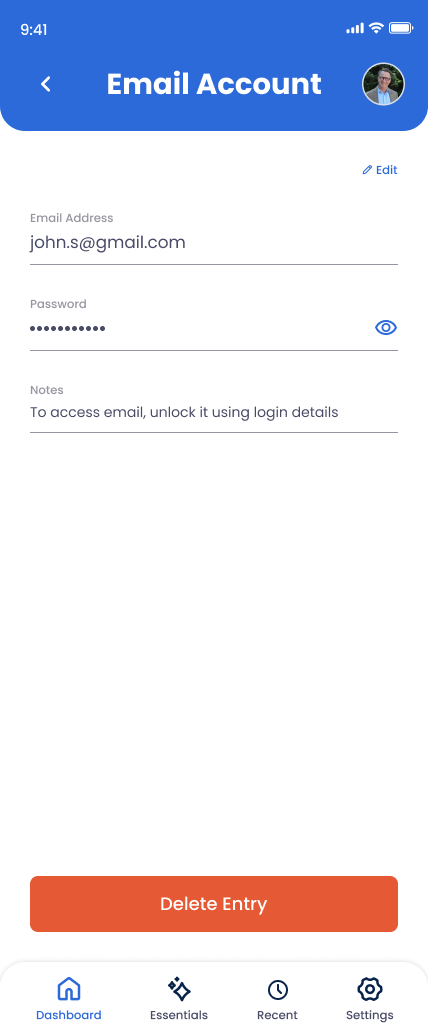
What You Can Store
Email Address
The address you use for important account signups, password resets, and 2FA backup codes.
Password
The login password for the account.
Notes
Mention 2FA setup (authenticator app, SMS, security key), any forwarding rules, or where recovery codes are stored.
How to Add Your Email
Open Essentials in the app
Tap Essentials and select Email Account.
Enter your primary email address
If you have multiple, store the one most accounts use for password resets first. Add others under Online Accounts › General Accounts.
Enter your password
Encrypted and protected by your PIN. Shared only with the trusted contacts you choose.
Document 2FA in Notes
If your email has two-factor enabled, list which method (authenticator app, SMS, security key) and where backup codes are stored.
Save and update on changes
Come back any time you rotate your password or change 2FA settings.
Why This Matters
If your family has the phone passcode and the email login, they can reset most other passwords from there. Email is the bottleneck for account recovery across the modern internet — protecting access to it protects access to everything downstream.